
NerdTip
Stop opening a new tab to look up jargon.
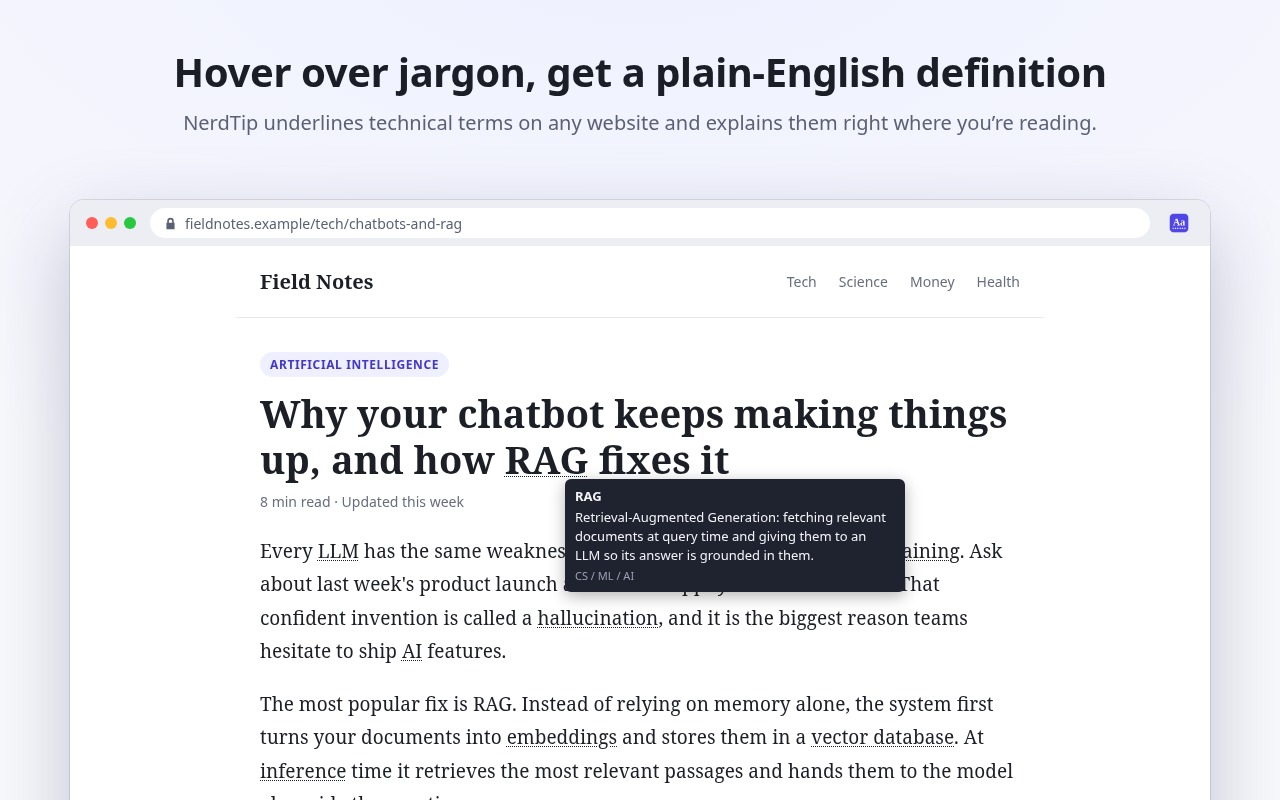
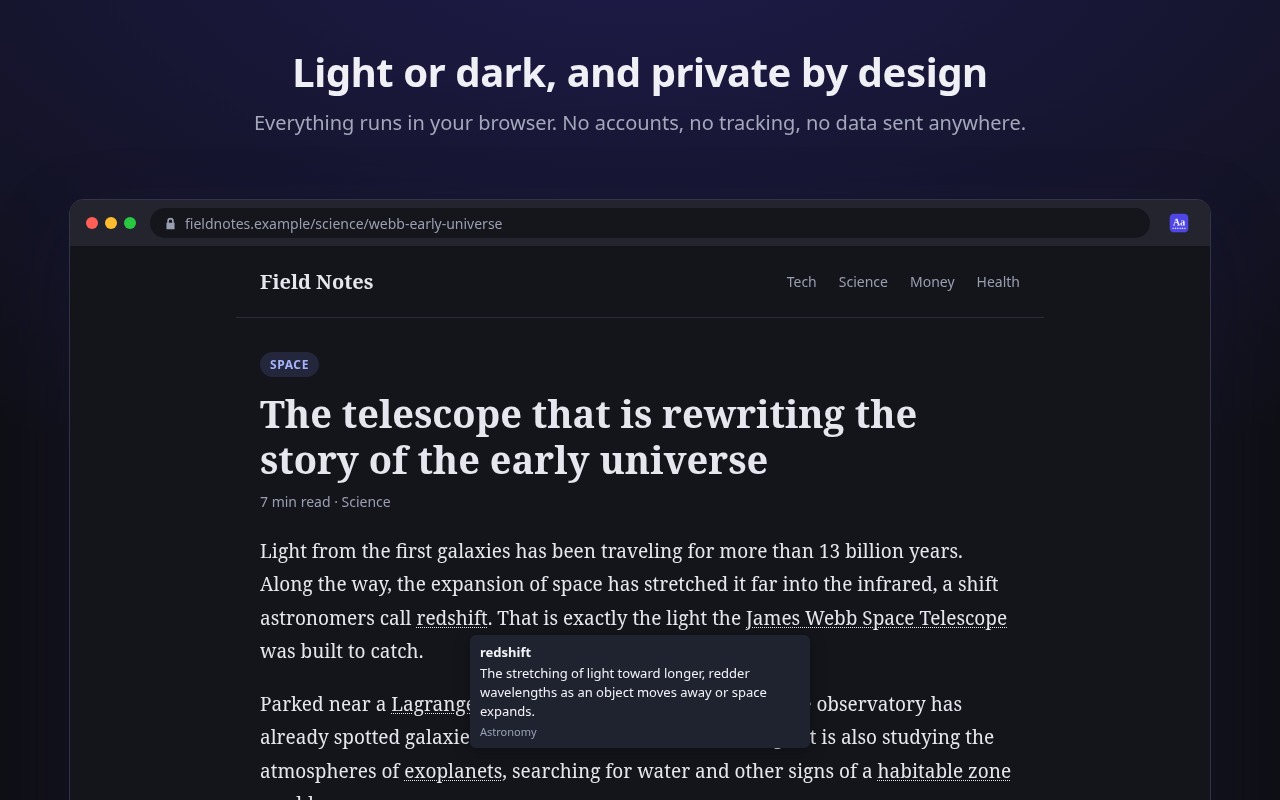
NerdTip underlines technical terms on any web page. Hover over one and a short, plain-English definition appears right where you're reading.
~400
terms explained in a sentence or two
5
built-in glossaries
0
network requests
Why NerdTip
Works on any website
News, docs, research papers and forums. Content that loads as you scroll gets highlighted too.
Stays out of the way
Only the first mention of each term is underlined. Code blocks, text boxes and hidden text are left alone.
Turn it off per site
One click in the toolbar popup, no reload needed.
Pick your subjects
Turn on only the glossaries you care about.
Add your own terms
Teach it your team's acronyms. Your definitions win over the built-in ones.
Light and dark
Follows your system theme.
Five glossaries built in
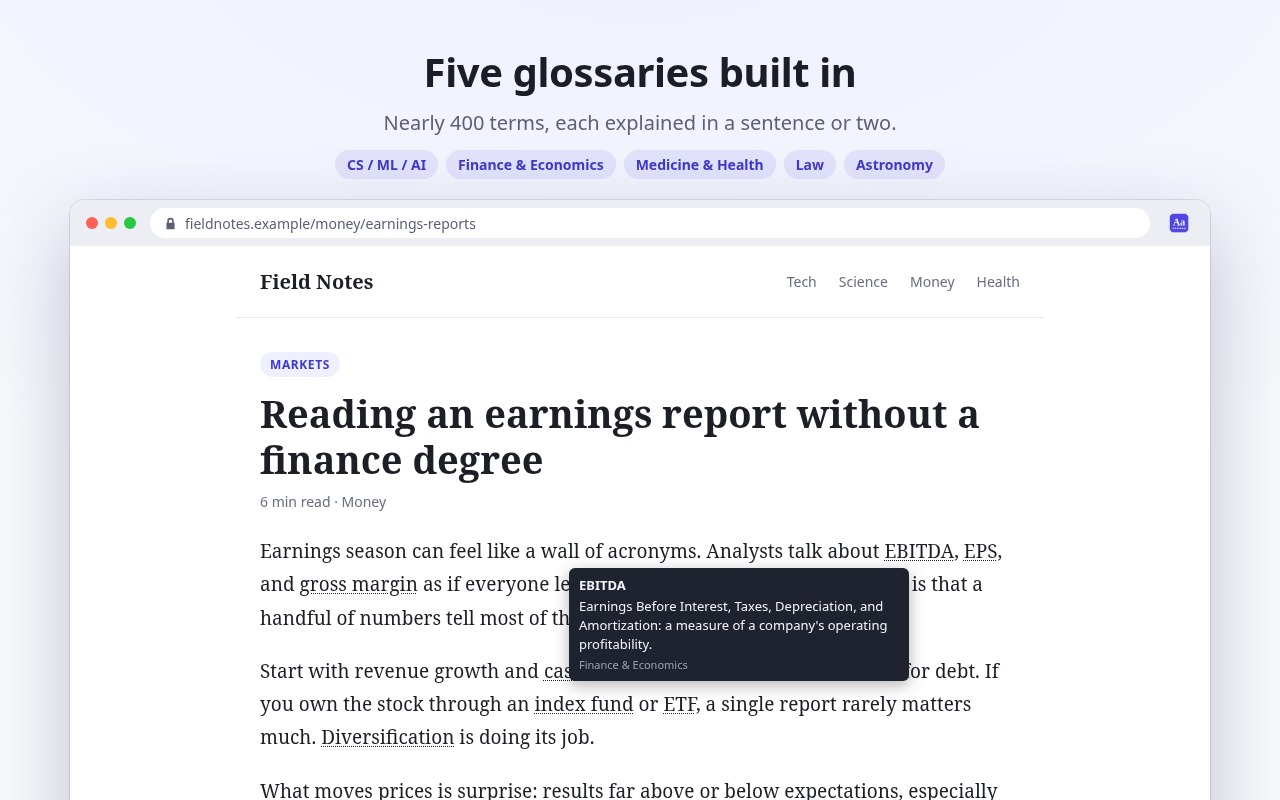
CS, ML and AI; finance and economics; medicine and health; law; and astronomy. From EBITDA to habeas corpus to redshift, every definition is written to make sense to a curious non-expert.
Your browser, your rules
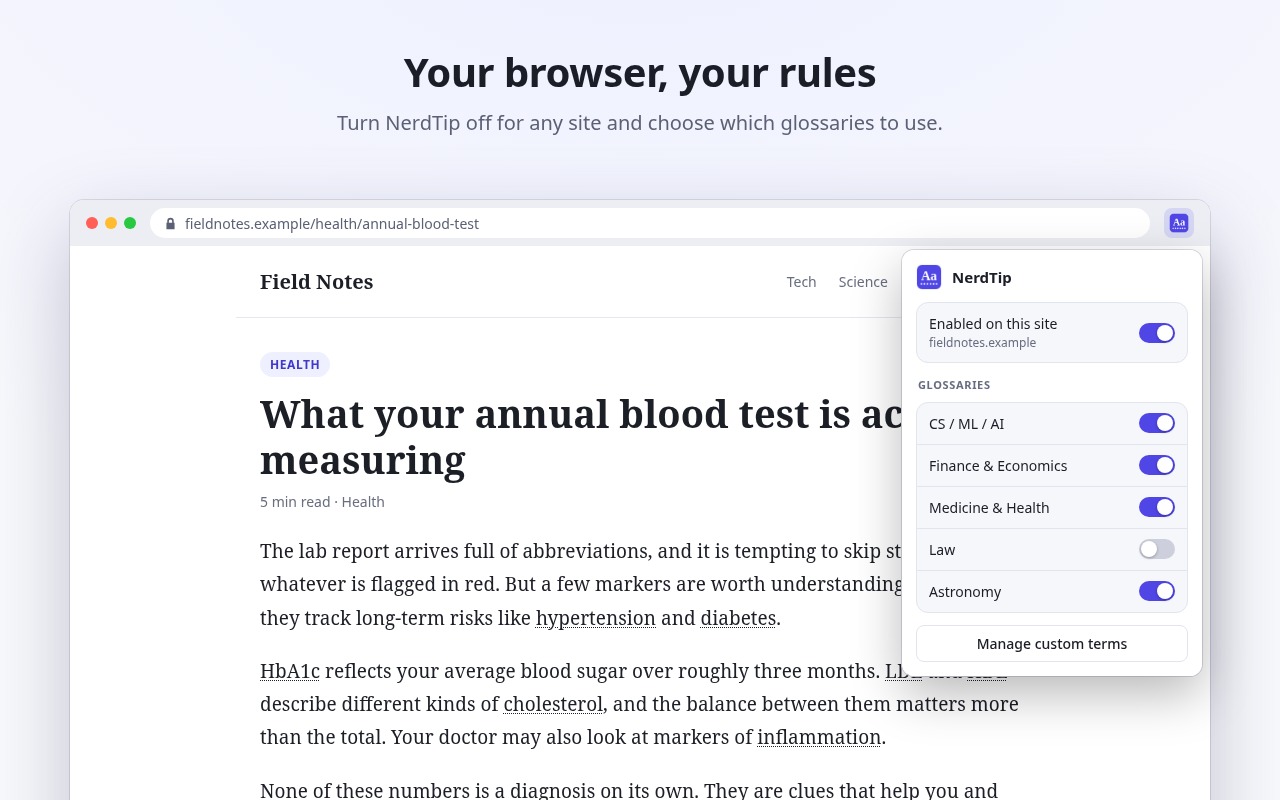
The toolbar popup turns NerdTip off for the site you're on and switches each glossary on or off. Changes apply instantly.
Teach it your vocabulary
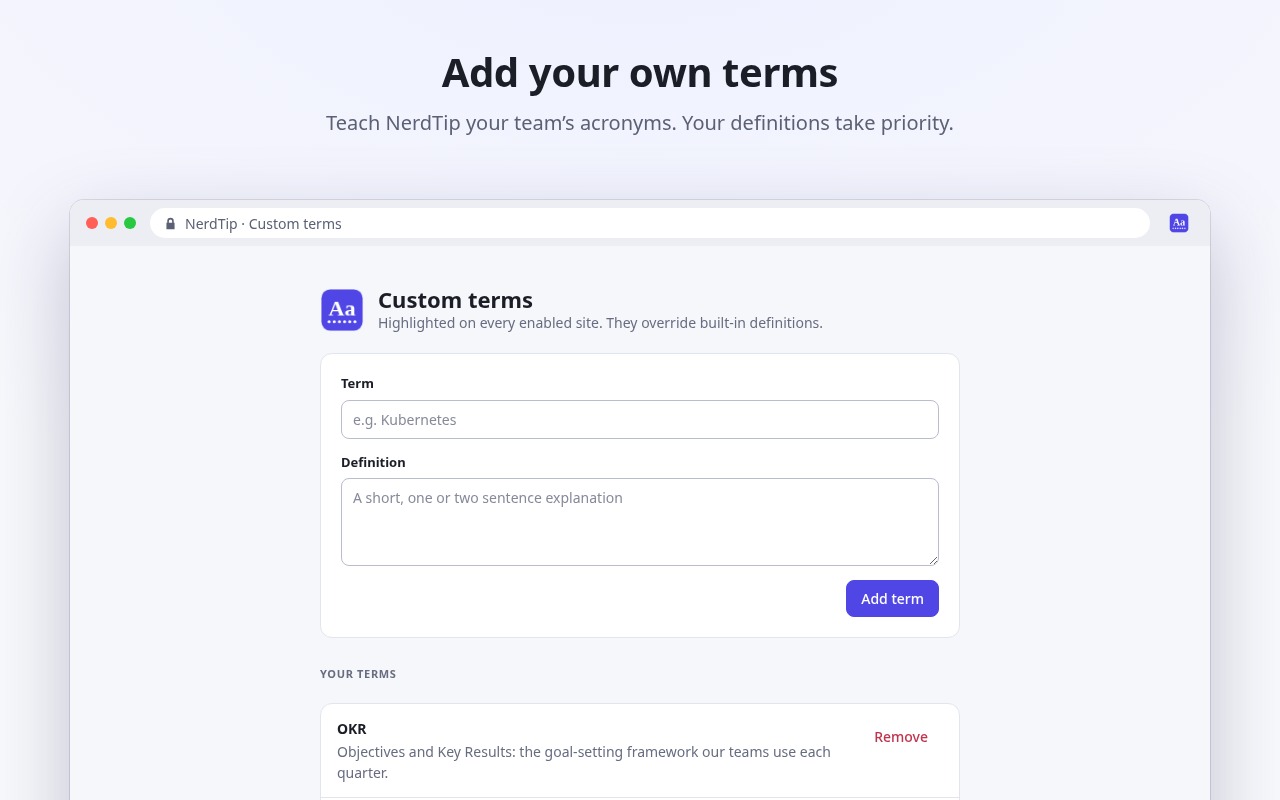
Add the acronyms your team uses or the terms of your field. They're highlighted on every enabled site and override the built-in definitions.
Private by design
Page text is checked locally against glossaries bundled inside the extension. No accounts, no tracking, and nothing ever leaves your browser.
Try NerdTip
On Chrome, Edge or Brave? You can load it from source for now; the contribute guide shows how.
NerdTip is free and open source. If it saves you time, buy me a coffee.
- 1Install NerdTip from Firefox Add-ons (Firefox 140 or newer).
- 2Reload any tabs you already had open.
- 3Hover over a term with a dotted underline.
Hit a bug?
Tell me what broke or what NerdTip is missing. No account needed — or open an issue on GitHub if you'd rather track it there.